

Exporting
Export data from Popis to Excel or CSV to work with it or load it into your accounting software, and to PDF when you need a document to print or send. Counts, lists and records also export to formats that business software reads (see below).
| What | Where | Formats |
|---|---|---|
| Items, fixed assets, locations, warehouses, customers, suppliers | The Export button on the list page (Import and export of items and assets) | Excel (.xlsx), CSV (.csv) or PDF (.pdf) |
| Count results | Report and analysis | Report: Excel, CSV, PDF and the formats for business software, including PETCOM. Analysis: Excel, CSV or PDF |
| A count list | Export on the list page | Excel, CSV and the formats for business software (no PDF or PETCOM) |
| A record | Export on the record page | Excel (.xlsx), CSV (.csv), PDF (.pdf) and the formats for business software (no PETCOM) |
| Counts, lists and records in the app | The Export button in the app | Excel, CSV or XML — chosen in the app settings (Export Format) |
Tip
A codebook export to Excel or CSV has the same columns, in the same order, as the import template. So you can export data, change it in Excel and import it back — existing records are updated by code.
An export follows the search on the page: only the records you currently see in the list are exported. A count report export follows the chosen warehouse and view (All items, Only counted, Uncounted Items).
To exchange data with your business software automatically, without exporting and importing by hand, see API integrations.
PDF
A PDF is a document to read, print or send:
- it's always A4 portrait;
- page 1 opens with your company's details (name, address and place, tax ID, phone and e-mail — only those filled in), and on the right the document title, the search term if you used one, and the export date;
- every page ends with the Popis PRO logo, the document title, the company name, who exported it and Page N / M; table headings repeat on every page, and numbers are written the way the chosen language writes them (1,234.50);
- the columns, rows and search are the same as in the Excel file; wide tables leave out columns that are empty in every row and use smaller type;
- it holds at most 1,000 rows — a bigger export is refused with This export has N rows, and a PDF is limited to 1000. Narrow it down with a search, or export to Excel or CSV.;
- it can't be imported back — use Excel or CSV for that.
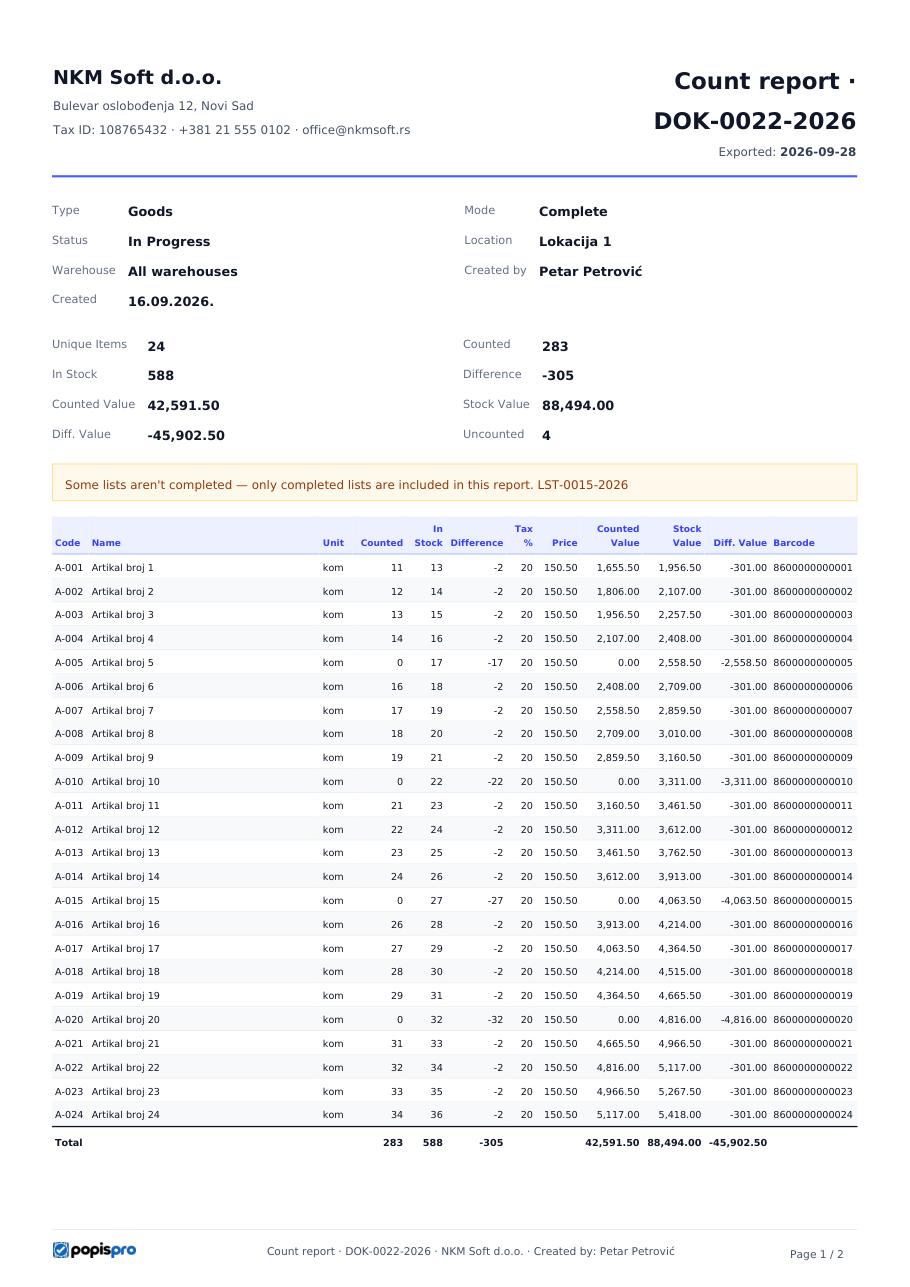
The company details in the header are the ones entered at registration. They can't be changed in the portal; to change them, contact Popis support.
Formats for business software
The count report, a count list and a record can also be exported in the formats the earlier Popis desktop application offered, so your business software (ERP) can read them as before.
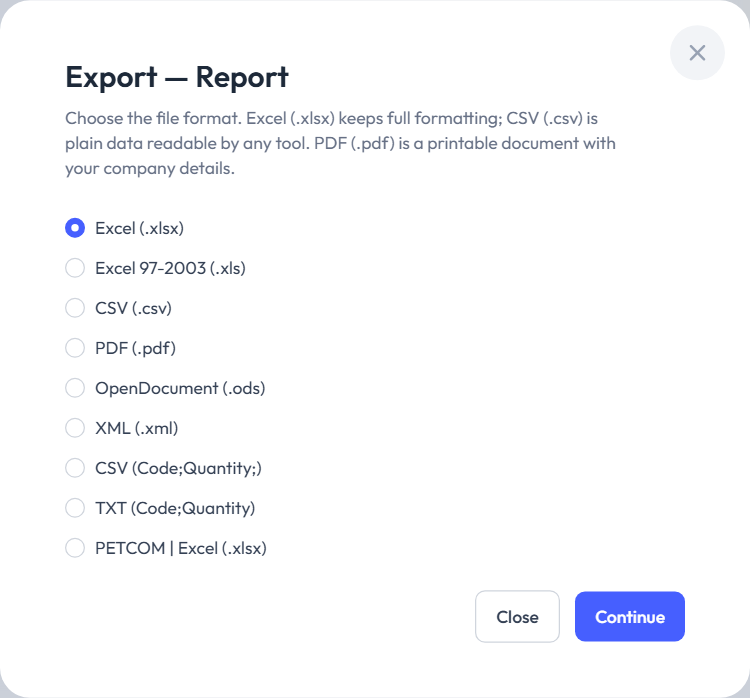
| Format | Content |
|---|---|
| Excel 97-2003 (.xls) | The same as Excel (.xlsx), for older programs. |
| OpenDocument (.ods) | The same as Excel (.xlsx), for LibreOffice and OpenOffice. |
| XML (.xml) | The data with the earlier application's XML tags (in the count report, one entry per lot). |
| CSV (Code;Quantity;) | One line per item: the code and the quantity with two decimals, e.g. PR001476;18.00; — no header. |
| TXT (Code;Quantity) | The same without the trailing ;: PR001476;18.00. |
| PETCOM | Excel (.xlsx) | A sheet for importing into PETCOM — count report only. |
When the report shows All items, the export includes the uncounted items too (with quantity 0). If your software needs only what was counted, choose Only counted before exporting.