

Dashboard
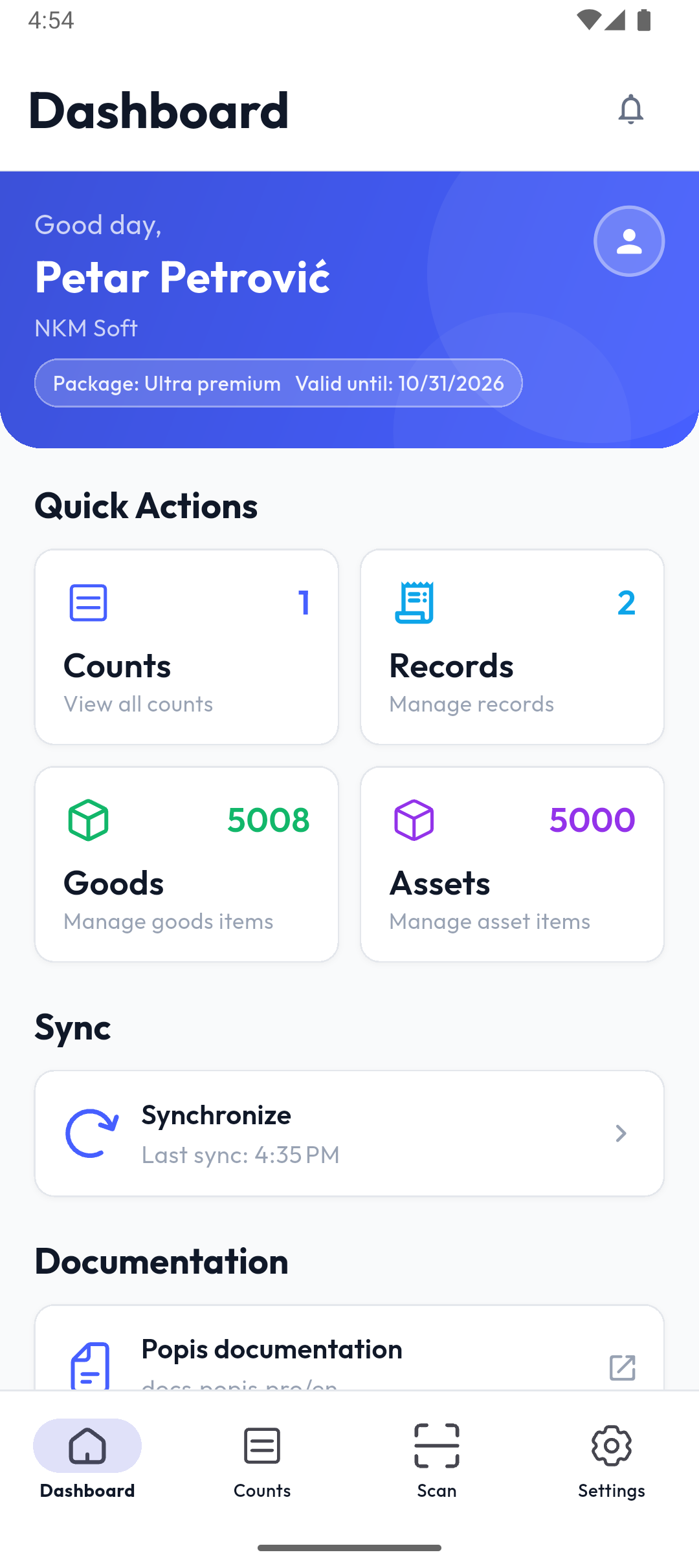
The Dashboard is the first screen after you sign in and the first tab in the bottom menu. It shows your package, shortcuts to the main parts of the app, and your latest counts and records. On a tablet the menu is on the left instead of at the bottom.
Header
The header shows a greeting, your name and your company, and below them your package and the date it's valid until (Package: … Valid until: …). Tap the profile icon on the right to open Settings.
The bell in the top right corner opens your notifications; the red number on it is how many are unread.
Quick actions
The cards lead to the main parts of the app. The number in each card's corner shows:
| Card | Number | Opens |
|---|---|---|
| Counts | active counts (draft or in progress) | the Counts tab |
| Records | active records | the list of record types |
| Goods | goods items in the catalogue on the phone | the goods catalogue |
| Assets | asset items in the catalogue on the phone | the assets catalogue |
Which cards appear depends on your package: Records if it includes records, Goods if it includes goods, Assets if it includes fixed assets.
Sync
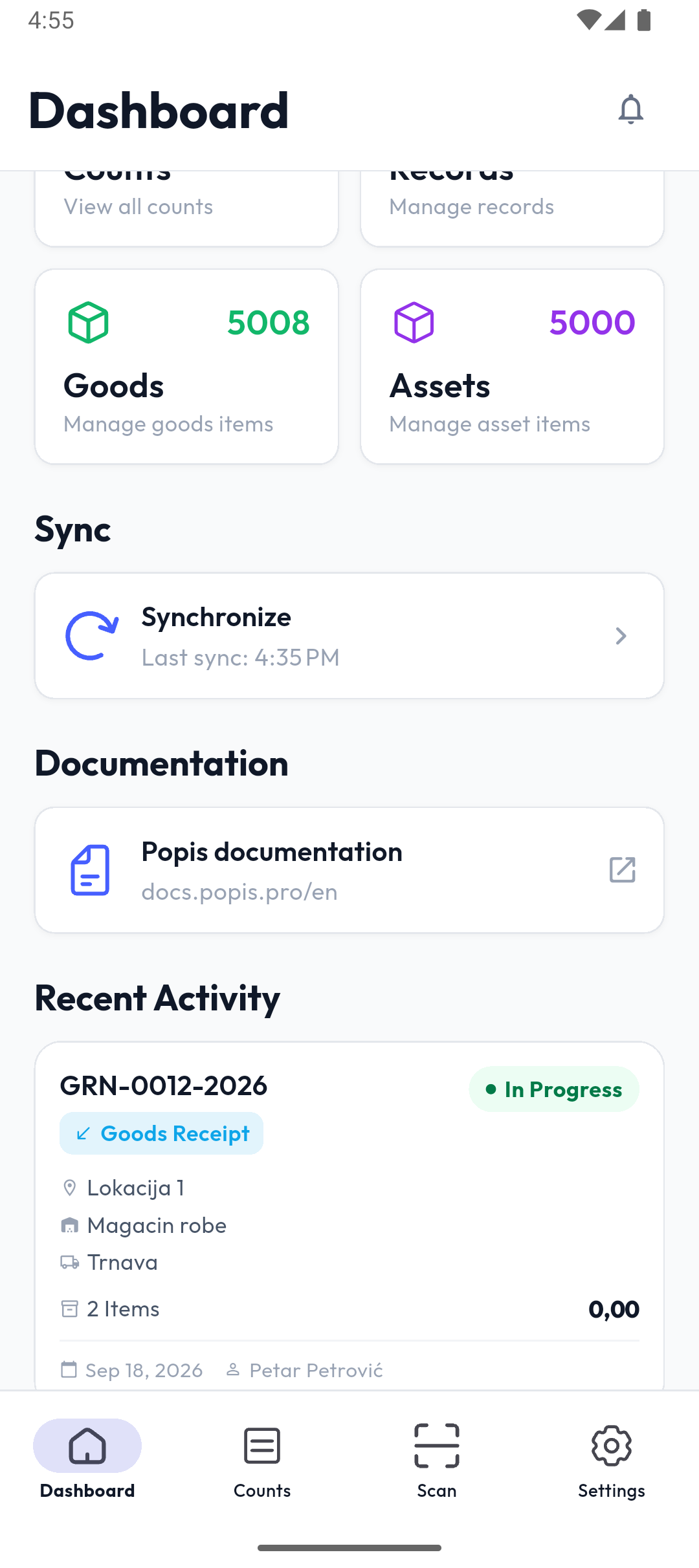
The Synchronize card shows when data was last exchanged with the portal (Last sync: …). Tap it to sync right away. While it runs, the icon spins and the card shows what's being transferred: locations and warehouses, articles and assets, then counts.
The app also syncs on its own, for example when the internet connection comes back. Without a connection, a red bar at the top of the screen says No internet connection. Check your network.
Note
A long press on the card offers a Force full re-sync: the app downloads every article, asset, location, warehouse and count from the server again. Use it only when the data on the phone doesn't match the portal; on large catalogues it takes longer.
Documentation
The Popis documentation card opens this site, docs.popis.pro, in the phone's browser — in Serbian when the app is in Serbian, Croatian, Bosnian, Slovenian or Macedonian, and in English otherwise.
Recent activity
Your five newest counts and records, newest first. Each card shows the number, type, status (Draft, In Progress or Completed), location and warehouse, number of items, date, and who created it. Tap a card to open the count or record.
A count created in the portal after your last sync shows up here after the next sync. Until there is a count or record, the section says No activity.
Popis PRO Offline
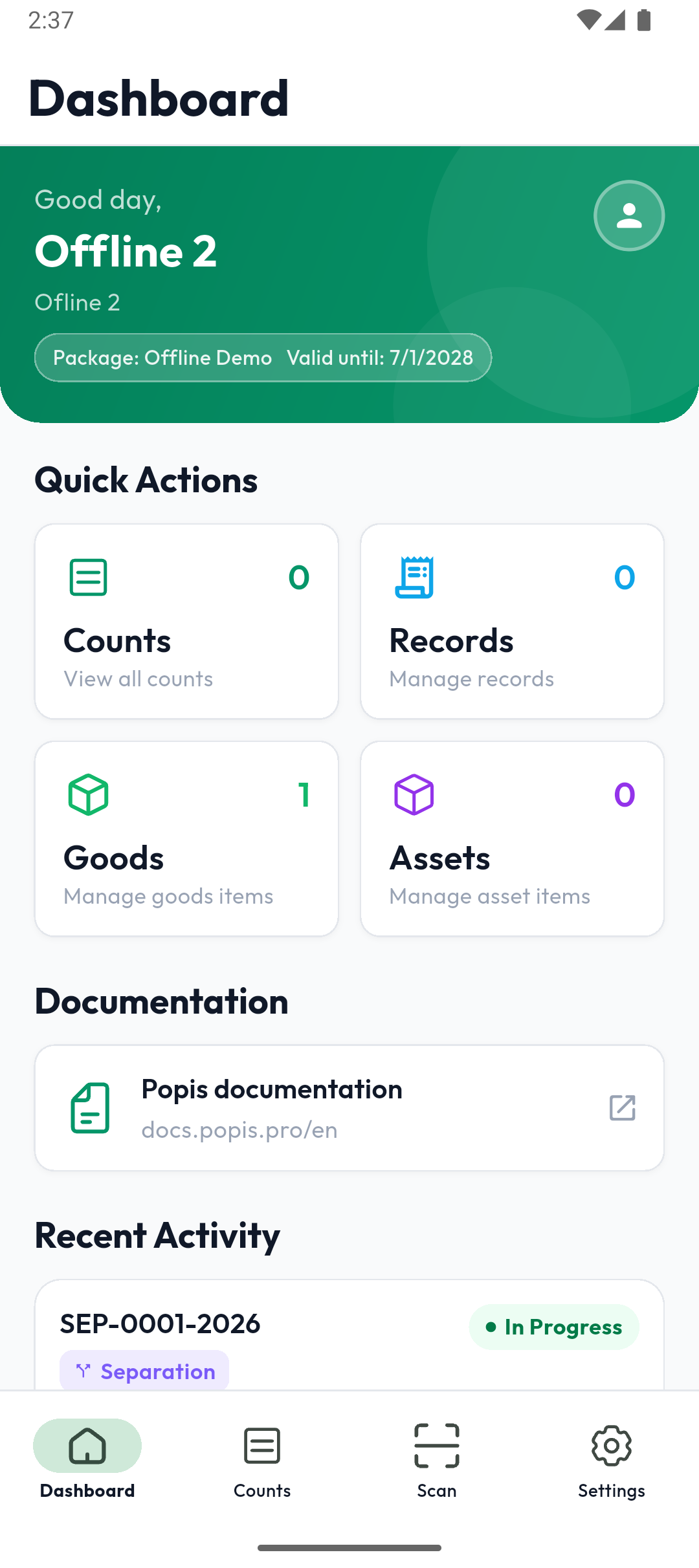
The offline app has the same dashboard, in green. It has no Synchronize card and no notification bell, because its data stays on the phone.
When the package expires
If your package expires while you're using the app, a Subscription expired window shows the package name and expiry date. Packages are renewed in the portal: on Android, Open popis.pro opens the portal in your browser, and on iPhone, Package opens the in-app package purchase. OK signs you out. In Popis PRO Offline, expiry is checked only when you sign in — see Popis PRO Offline.
Tip
On the dashboard, the Back button asks Exit App?. On the other tabs it returns to the dashboard.