

Customers and suppliers
Customers and suppliers are the partners on records: a customer on customer orders, sales and separations, a supplier on supplier orders and goods receipts. Codebook → Customers and Codebook → Suppliers are shown if your package includes records. Both pages work the same way.
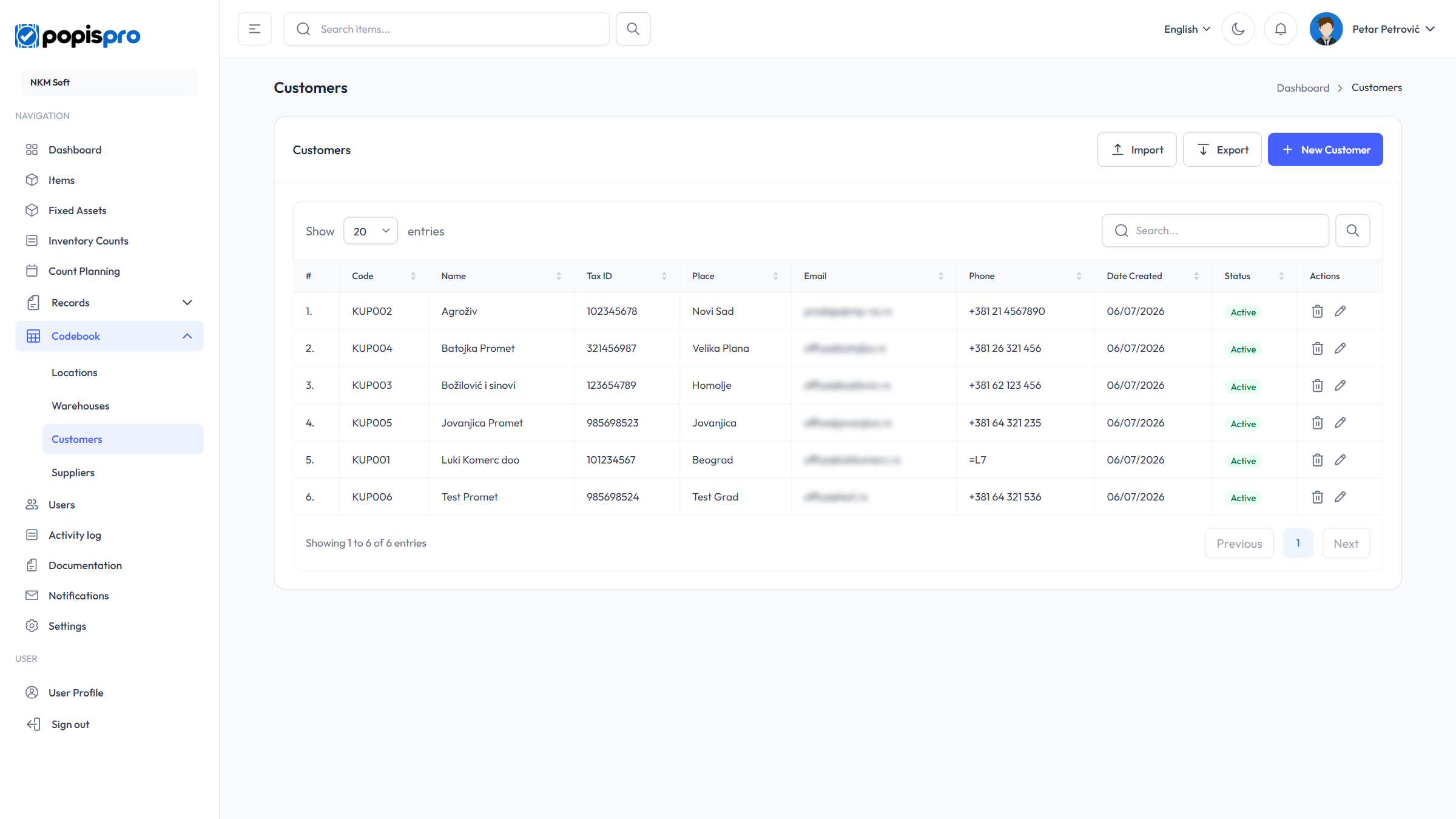
The columns are Code, Name, Tax ID, Place, Email, Phone, Status and Date Created. Search looks in the code, name, tax ID, place, address, email and phone.
New customer or supplier
New Customer (New Supplier) opens the form; the pencil on a row opens Edit Customer (Edit Supplier).
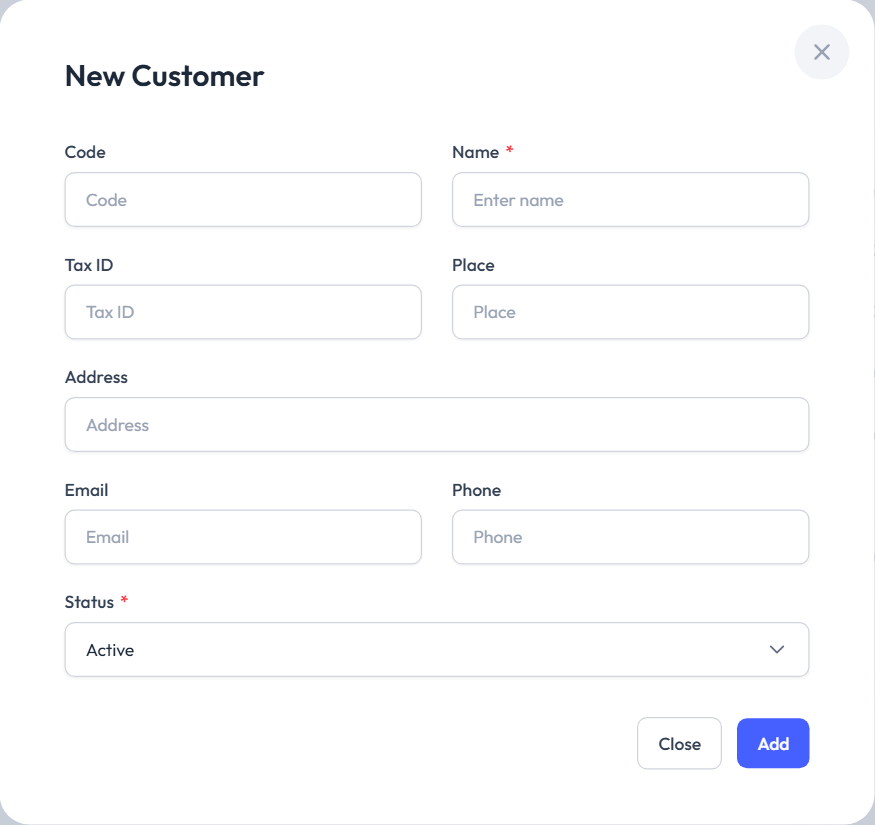
| Field | Description |
|---|---|
| Code | Optional but unique. Needed for Excel import. |
| Name * | Company or person name. |
| Tax ID, Place, Address | Optional. |
| Must be a valid address. | |
| Phone | Digits, spaces and + - ( ) only. |
| Status * | Only active partners are offered on records. |
Deleting
The bin on a row asks Delete Customer (Delete Supplier).
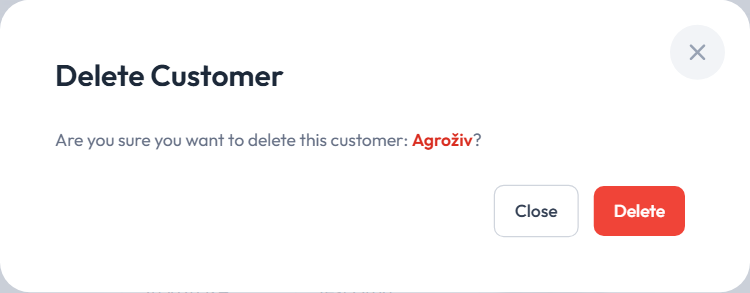
Nothing blocks deleting: records already made with that partner stay as they are.
Suppliers
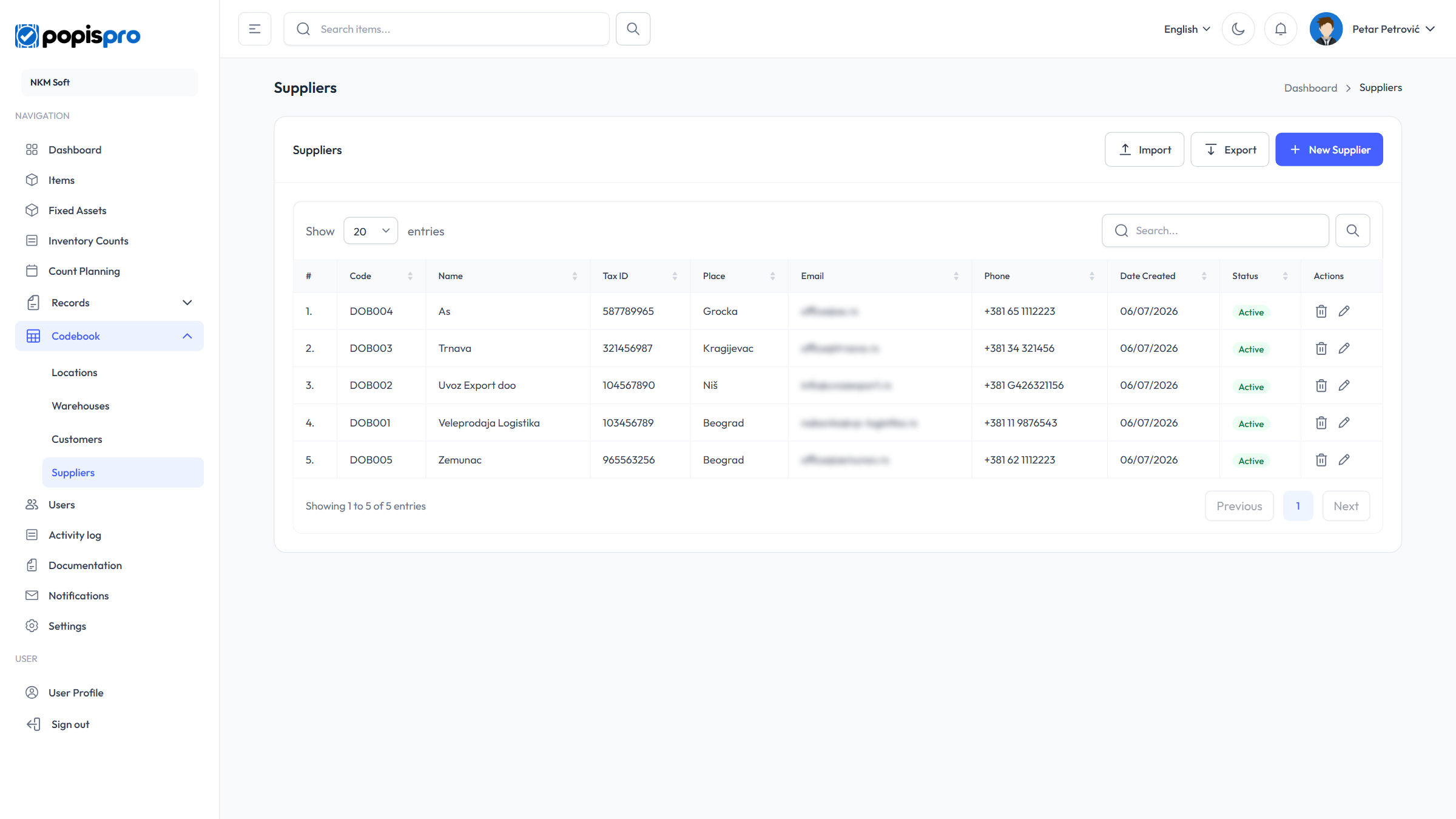
Import and export
Import and Export work as for items, with the columns Code, Name, Tax ID, Address, City, Email and Phone. An existing code updates the partner, a new one adds it, and a row without a code is skipped.