

Fixed assets
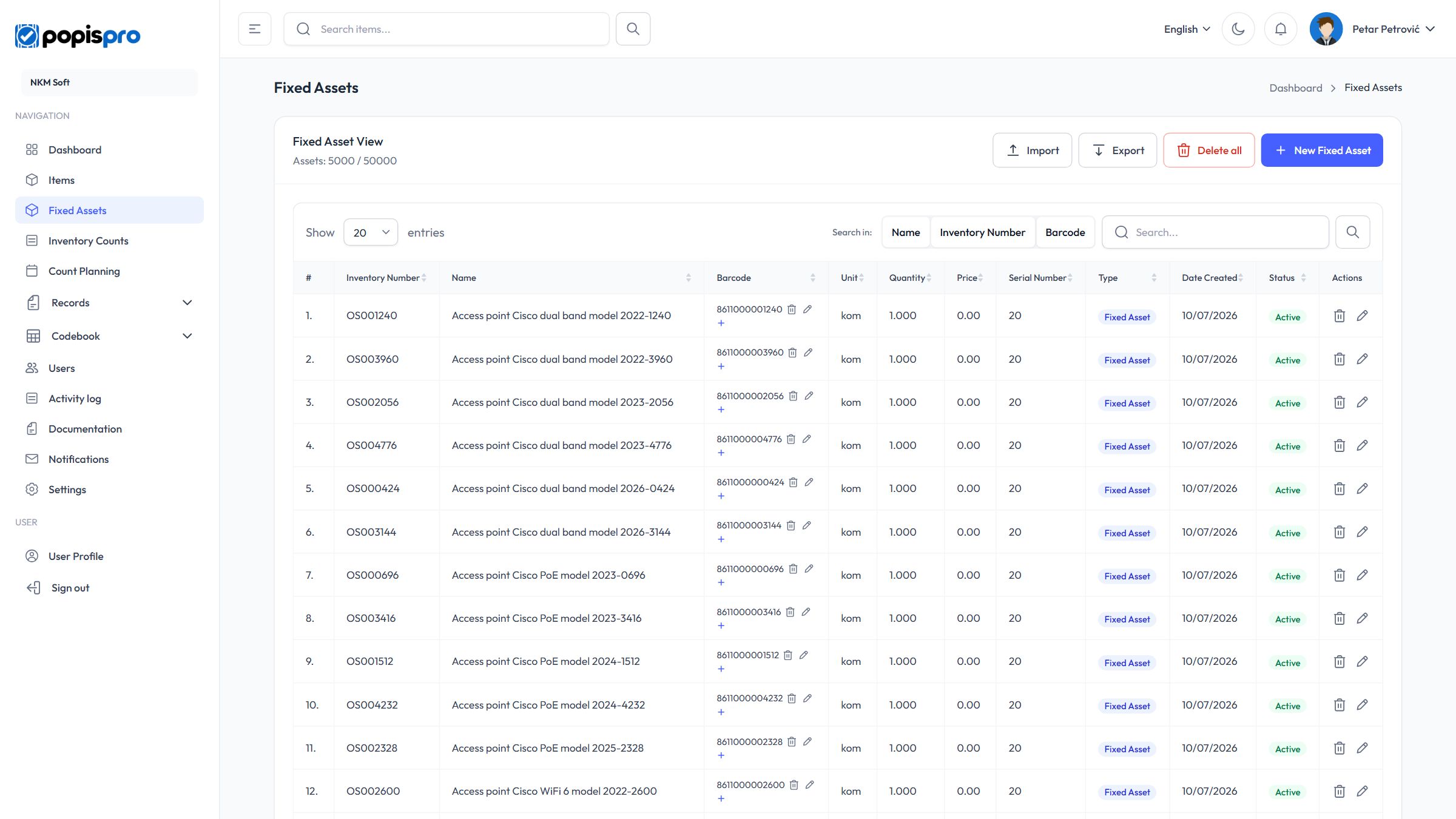
Fixed assets are the equipment and inventory your company counts: computers, furniture, tools and small inventory. Open the page from the left menu, Fixed Assets; it's shown if your package includes fixed assets.
The list
The list works like the items list: search, sorting by column, rows per page, and editing barcodes right in the table. The differences:
- search runs on Name, Inventory Number and Barcode;
- the columns are Inventory Number, Name, Barcode, Unit, Quantity, Price, Serial Number, Type, Date Created and Status;
- Type is Fixed Asset (blue badge) or Small Inventory (yellow badge);
- under the heading you see how many assets you have and how many your package allows, e.g. Assets: 5000 / 50000.
New fixed asset
Click New Fixed Asset, fill in the fields and click Add.
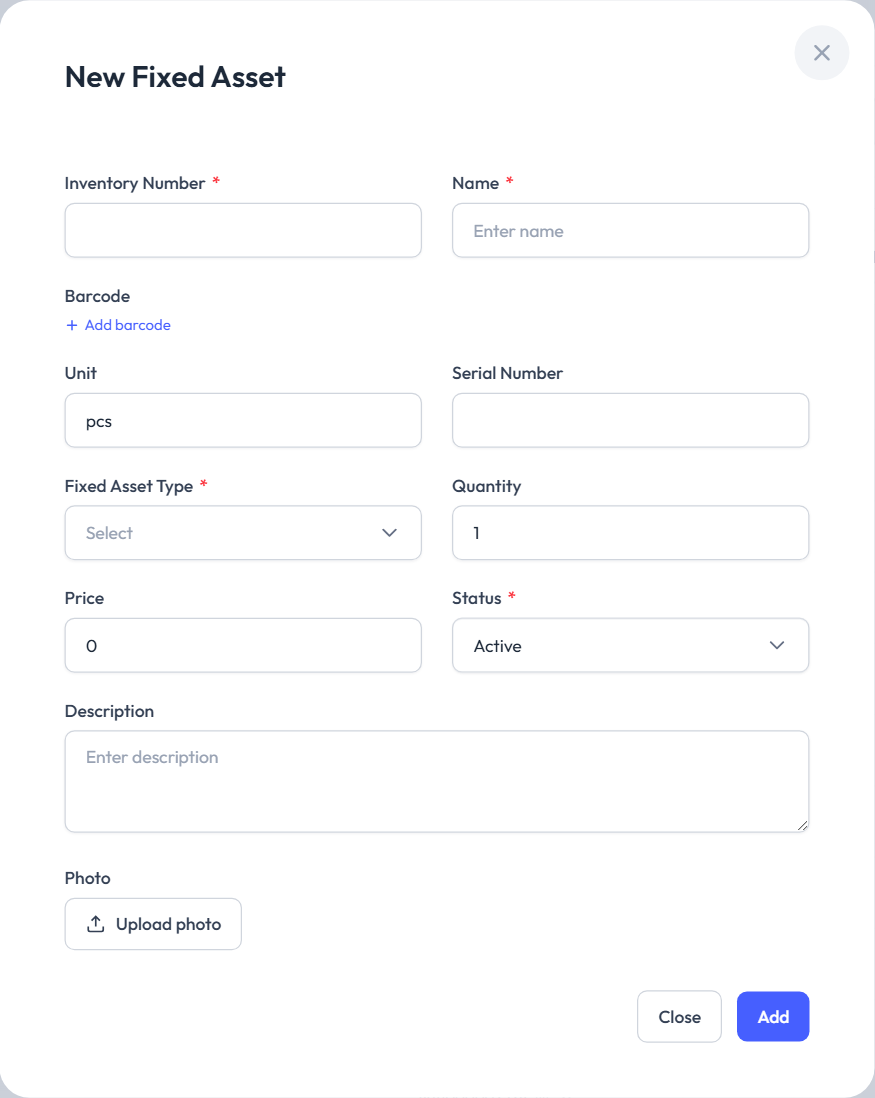
| Field | Description |
|---|---|
| Inventory Number * | The asset's unique number in your company. It can't be changed after saving. |
| Name * | The asset's name. |
| Barcode | One or more barcodes (Add barcode). A barcode can't belong to two items. |
| Unit | Defaults to pcs. |
| Serial Number | The manufacturer's serial number, if any. |
| Fixed Asset Type * | Fixed Asset or Small Inventory. |
| Quantity | Always 1 for a Fixed Asset. For Small Inventory, enter how many pieces you keep under this number. |
| Price | Purchase or book value, optional. |
| Status * | Active or Inactive. |
| Description, Photo | As for items. |
Tip
Each fixed asset has its own inventory number and is tracked individually. When you have several identical pieces you don't track one by one (e.g. 20 chairs), enter them once as Small Inventory with a quantity.
Editing, inactive assets and deleting
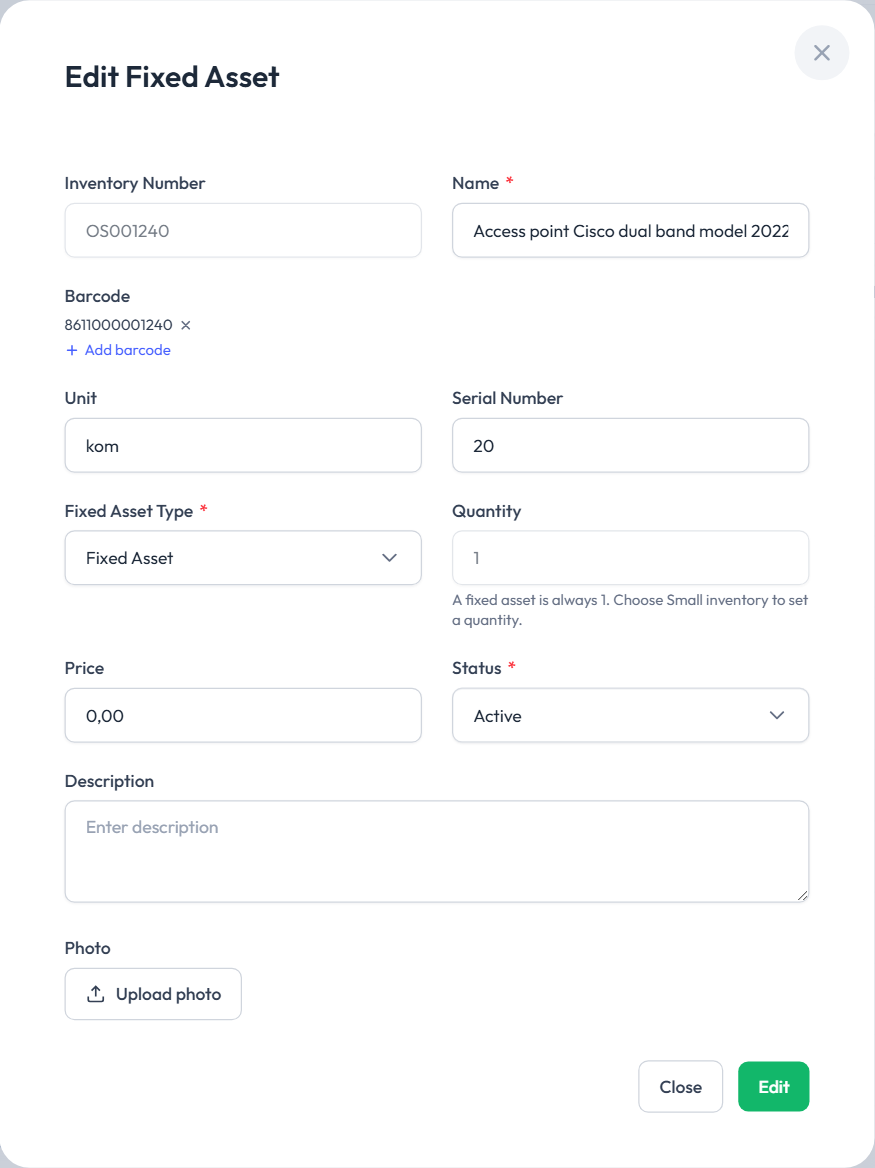
- The pencil in the Actions column opens Edit Fixed Asset. Every field except the inventory number can be changed.
- Status: Inactive keeps the asset in the catalogue, but the mobile app no longer offers it.
- The bin opens the Delete Fixed Asset confirmation. A deleted asset disappears from the list; counts that used it still show it, and the same inventory number brings it back later.
- Your company's main user also sees Delete all. It's available only when no fixed-asset count is in progress.
Import and export with Excel are described in Import and export.