

Warehouses and stock
A warehouse is part of a location where goods are counted and recorded. Open Codebook → Warehouses.
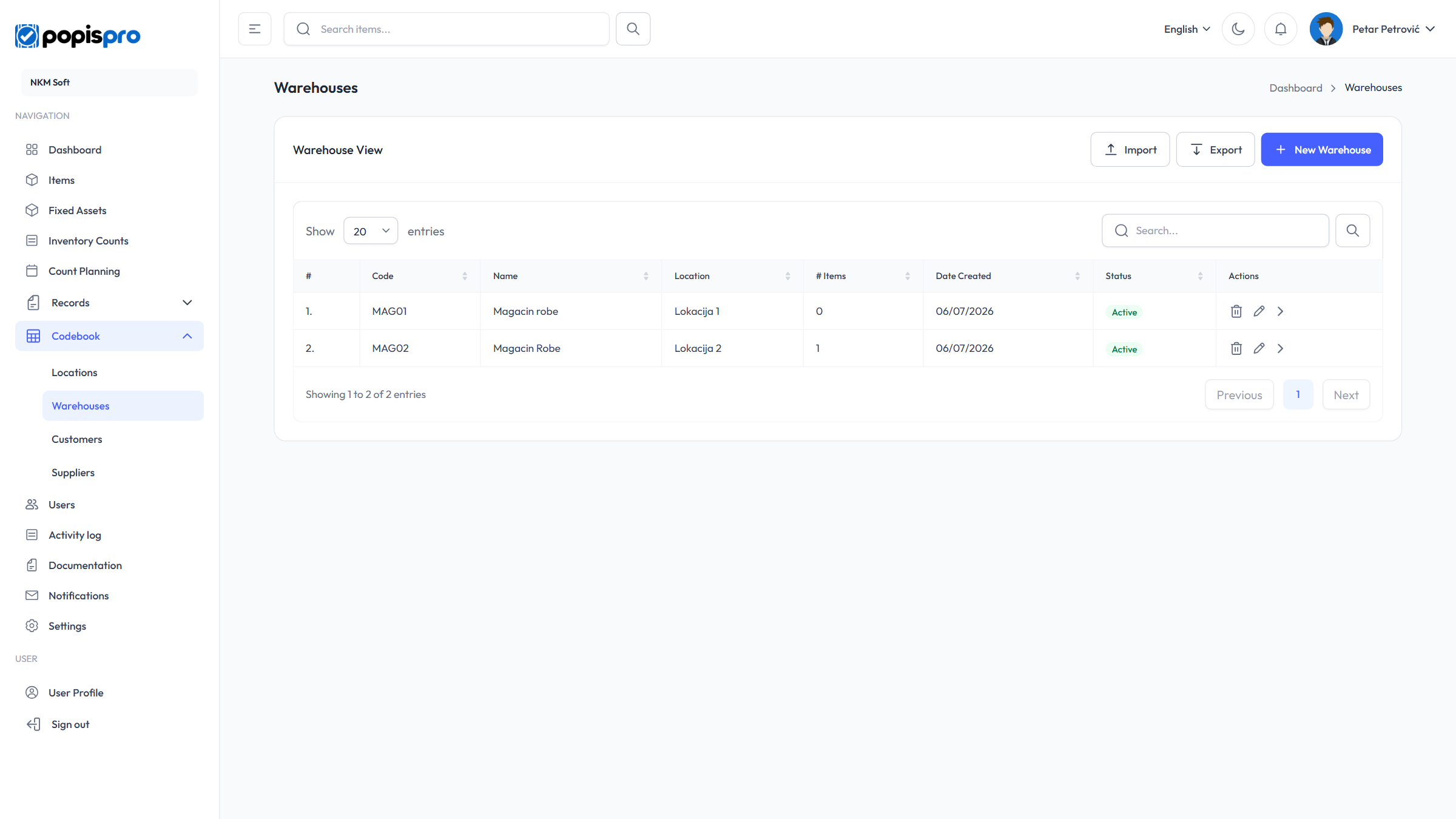
The columns are Code, Name, Location, # Items (how many items are in stock), Status and Date Created. Search looks in the code and name. The > arrow on a row opens the warehouse stock.
New warehouse and editing
New Warehouse opens the form; the pencil on a row opens Edit Warehouse.
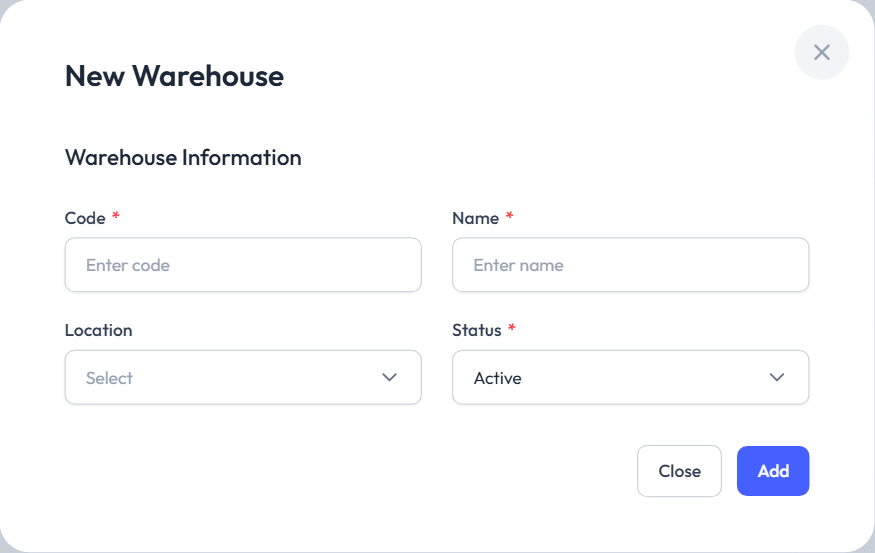
- Code * — unique in your company, e.g. MAG01.
- Name *.
- Location — the location the warehouse belongs to.
- Status * — Active or Inactive.
Deleting
The bin on a row asks Delete Warehouse.
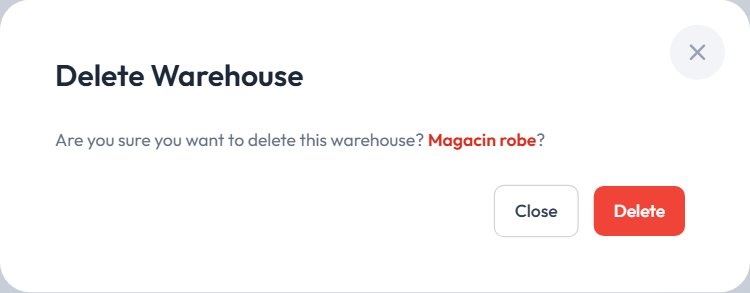
The last warehouse can't be deleted (Cannot delete the last warehouse. At least one is required.), nor can a warehouse used by count lists.
Import and Export work as for items, with the columns Code, Name and Location Code. A row without a code, or with an unknown location code, is skipped.
Warehouse stock
The > arrow on a warehouse row opens Warehouse Items: the book stock of that warehouse.
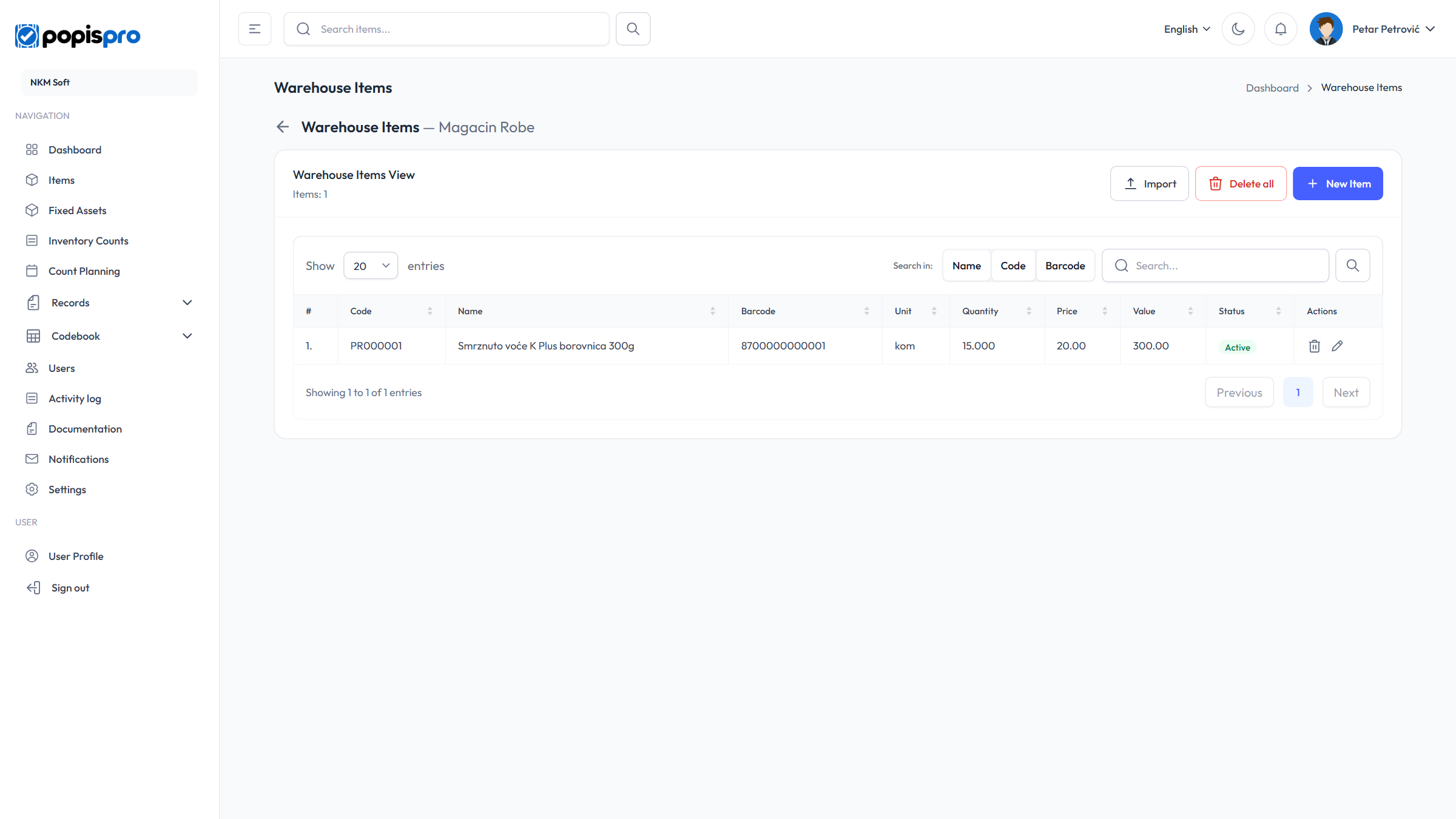
The columns are Code, Name, Barcode, Unit, Quantity, Price, Value (quantity × price) and Status. Search looks in the fields chosen under Search in: Name, Code, Barcode.
New Item adds an item to the stock:
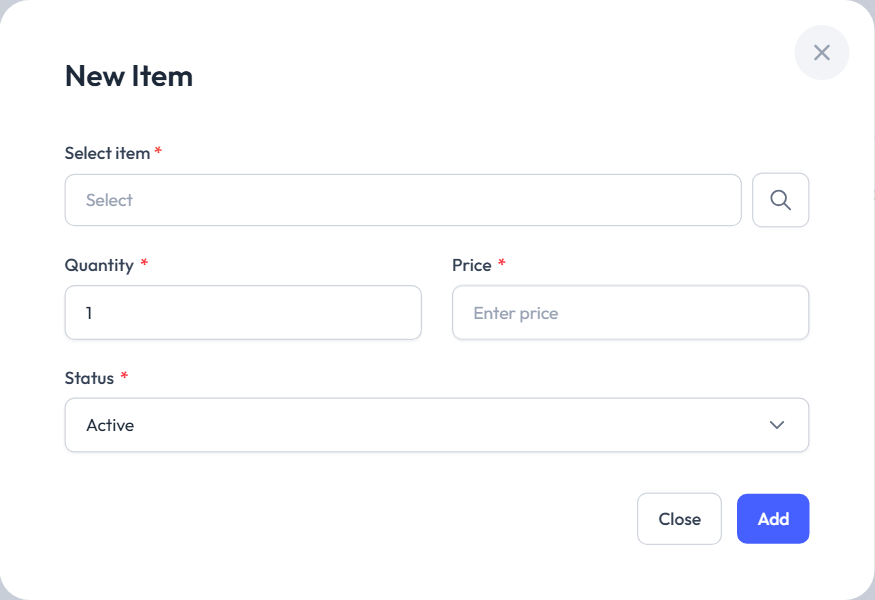
- Select item * — an item from the catalogue; each item can be in a warehouse only once (This item is already in the warehouse.).
- Quantity * — 1 by default.
- Price * — when you pick the item, its price is proposed.
- Status *.
The pencil changes the quantity, price and status; the bin removes the item from the warehouse.
Stock Import reads the columns Article Code, Quantity and Price. An item already in stock gets the new quantity and price (they aren't added up). Delete all (main user only) clears the whole warehouse stock, but not while an open goods count exists for that warehouse or its location.
What the stock is for
- The count report compares what was counted with the stock: the In Stock, Diff., Stock Value and Diff. Value columns, while the count isn't completed. See Report and analysis.
- The price on a count list comes from the warehouse stock, or from the item if there is none.
- A partial count and the mobile app offer only stocked items in a warehouse that has stock.
Note
Stock changes only by hand or by import. Neither records nor a completed count change the warehouse stock.
Companies without separate locations
If your company works without dividing into locations (set by Popis support), the Locations menu is hidden and Warehouses is called Locations / Warehouses. The form and table have no Location field, and the package's location limit caps the number of warehouses. Counts and records then ask only for a Location / Warehouse.