

Record types and lists
Records track the movement of goods: orders, sales, receipts, write-offs, packaging, expiry dates and separations. The Records menu is shown if your package includes records; Codebook then also shows Customers and Suppliers.
Record types
Each type has its own entry in the Records menu.
| Type | Number | Partner | Price |
|---|---|---|---|
| Order | ORD-0001-2026 | customer (customer order) or supplier (supplier order) | optional |
| Sale | SAL-… | customer | required |
| Goods Receipt | GRN-… | supplier | optional |
| Write-off | WOF-… | — | — |
| Packaging | PKG-… | — | — |
| Expiry | EXP-… | — | — (every item has an expiry date) |
| Separation | SEP-… | customer | — |
Numbers are assigned automatically, per type and year; customer and supplier orders share one sequence. A customer order is the basis for a separation (picking goods for the customer), and a supplier order for a goods receipt — see Working from a list.
The list
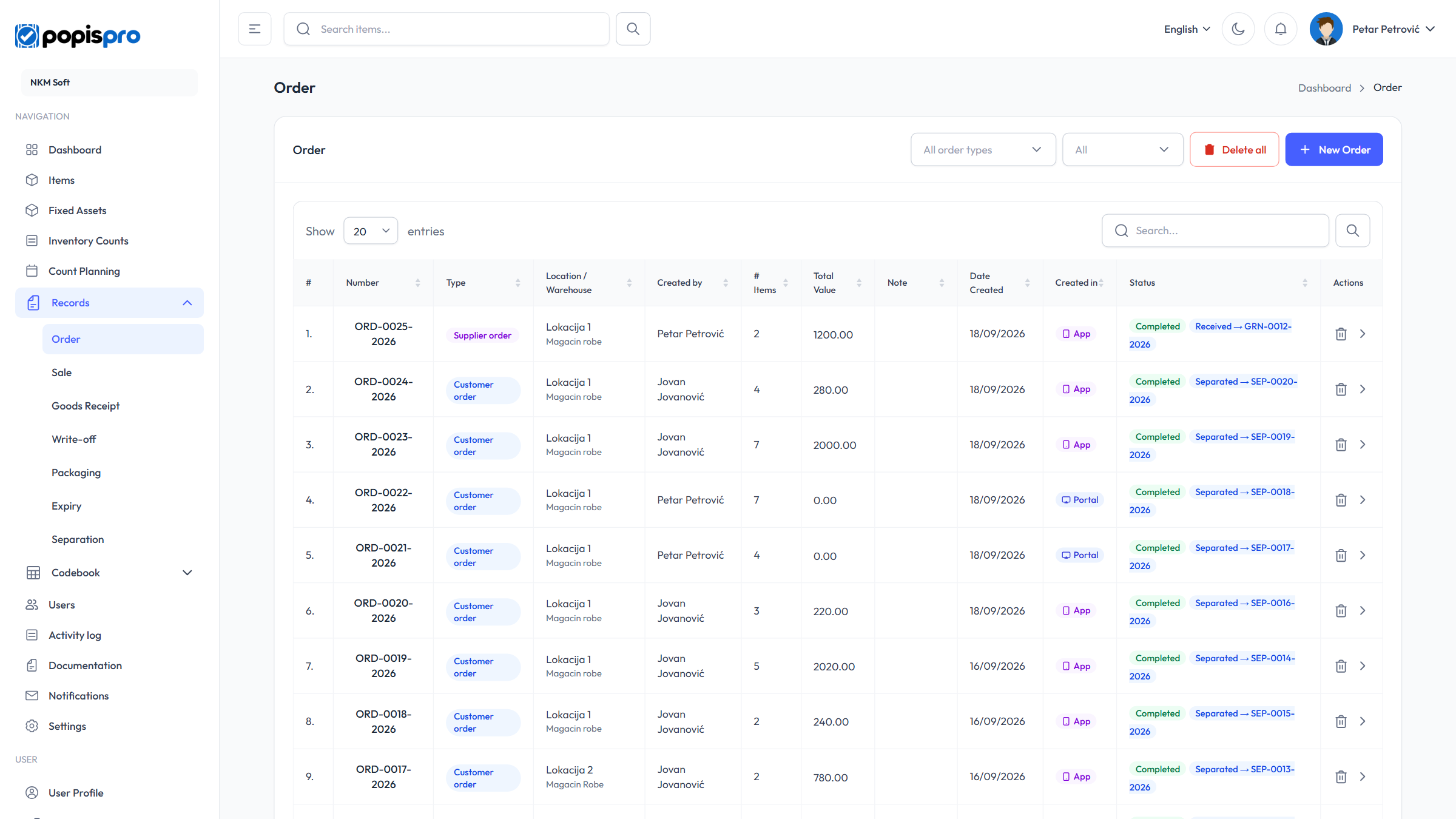
The columns are Number, Type, Location / Warehouse, Created by, # Items, Total Value, Note, Date Created, Created in (Portal or App) and Status.
- The status is Draft (no items yet), In Progress or Completed.
- An order that a document was made from shows Separated → SEP-… or Received → GRN-…. A separation or receipt made from an order shows Order: ORD-… under its number.
- A completed list-based record with differences has a ⚠ N badge (N rows missing, different or extra).
- On orders, the All order types filter picks customer or supplier orders; on every type, the status filter picks Draft, In Progress or Completed.
- Search looks in the record number and the binding document number.
- Clicking the number or the > arrow opens the record.
The portal shows the records of every user of your company, whether made in the portal or in the app.
New record
The New Order (New Sale, New Goods Receipt …) button opens the form. It is shown if your role may add records.
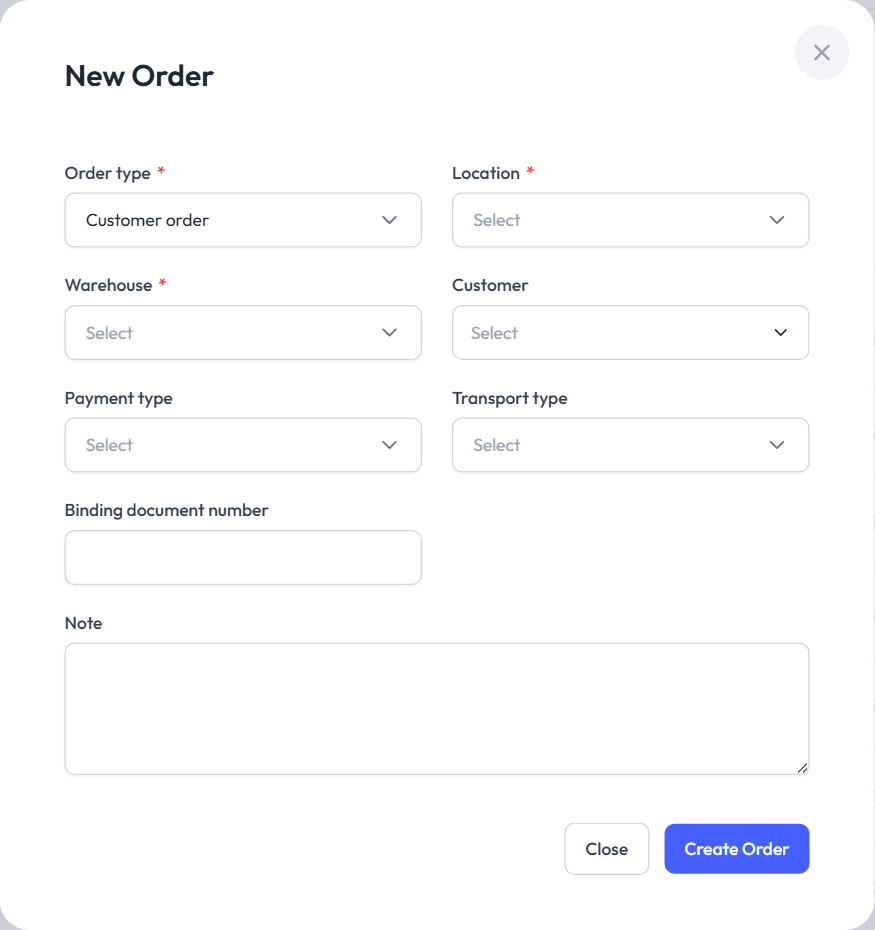
| Field | Description |
|---|---|
| Order type * | Orders only: Customer order or Supplier order. It can't be changed later. |
| Location * and Warehouse * | Warehouses are offered for the chosen location. If your company doesn't use separate locations, there is one Location / Warehouse field. |
| Customer or Supplier | Active partners from the codebook; optional. |
| Payment type | Orders only: Cash, Card, Bank transfer, Invoice, Other. |
| Transport type | Orders only: Pickup, Delivery, Courier. |
| Binding document number | E.g. an invoice or delivery note number. Required for separations and goods receipts done completely free, and for a separation from Excel. |
| Note | Free text. |
The form for a separation and a goods receipt depends on the entry mode — see Working from a list.
Create … makes the record and opens its page (Record items). The header (location, partner, binding document…) can't be changed afterwards.
Note
In the portal there can be only one open (draft or in progress) record of the same type for the same location and warehouse. A second one is refused with An active record of this type already exists for this location and warehouse.
Deleting
The bin on a row asks Delete Record; Delete removes the record with all its items, even when it is completed.
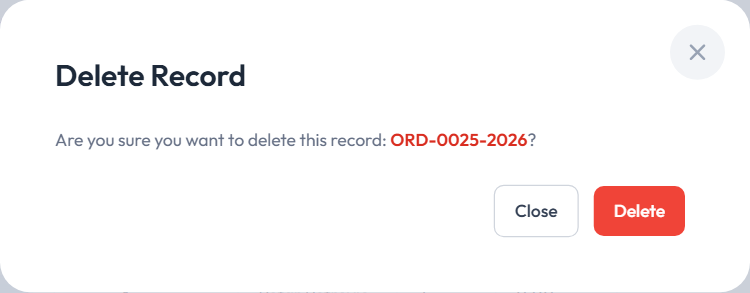
- The user who made the record and the company's main user can delete it. Others get You can only delete records you created.
- An order that a separation or receipt was made from can't be deleted while that document exists (Cannot delete an order that has a separation.). Once you delete the separation or receipt, the order is free again.
Delete all (the company's main user only) permanently deletes every record of that type with its items. It can't be undone.