

Dashboard
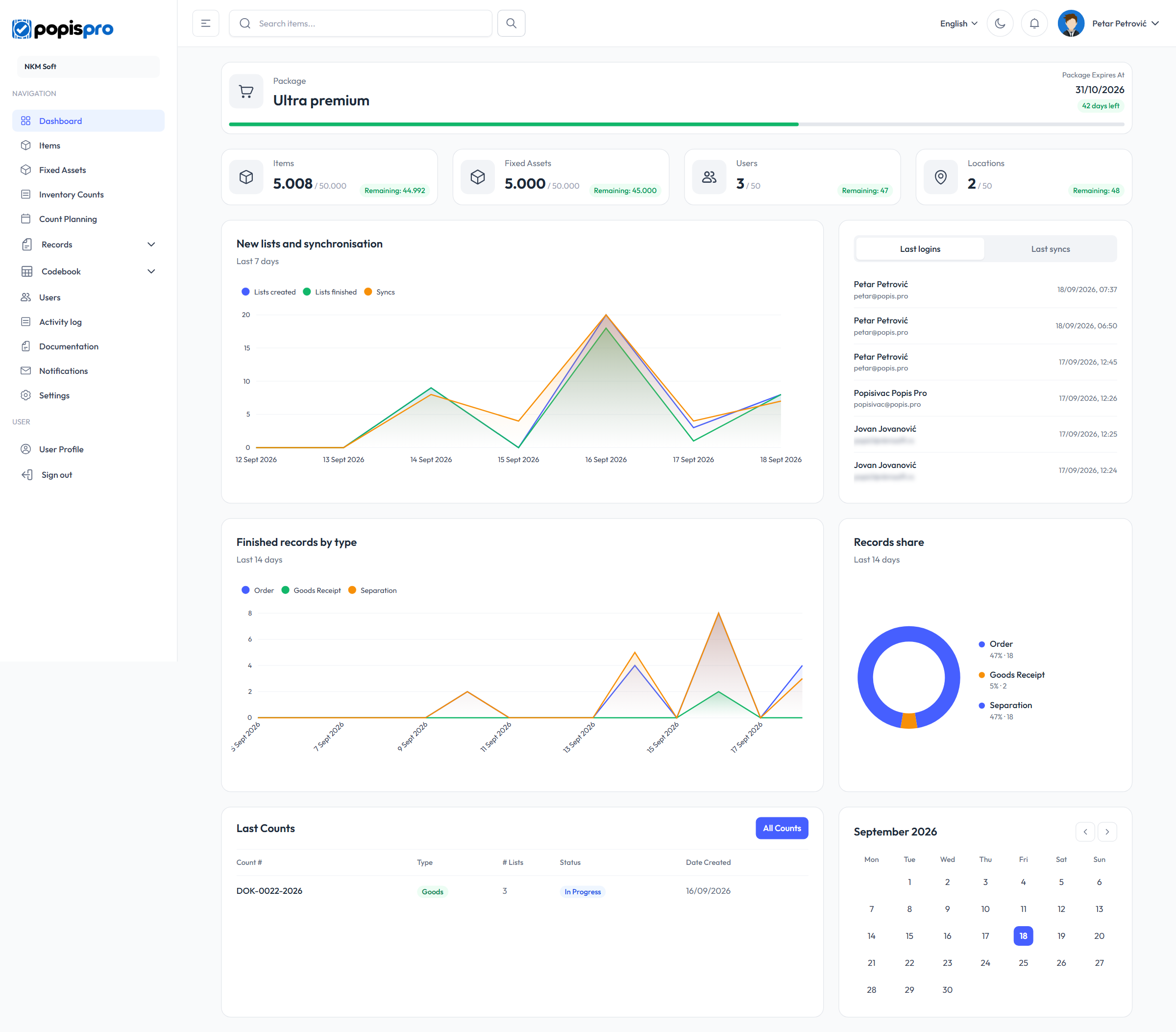
The dashboard is the first page you see after signing in to the portal. It shows your package, how much of it you are using, and what has happened in the app over the last few days. You can always get back to it with Dashboard in the left menu.
Package
The card at the top shows your company's package. On the right are the expiry date (Package Expires At) and the number of days left. The days-left label is green while more than 15 days remain, orange from 15 days, and red at 7 days or fewer. The bar underneath shows how much of the current subscription has passed.

Warning
When the package expires, the portal signs you out with the message Your subscription has expired. Visit popis.pro to renew. You can't sign in again until the package is renewed.
Package usage
The tiles show how much you have against your package's limits, for example 5.008 / 50.000. The Remaining label tells you how many more you can add.

- Items: items (goods) in your catalogue. Shown if your package includes goods.
- Fixed Assets: shown if your package includes fixed assets.
- Users: your company's users.
- Locations: your company's locations. If your company doesn't use warehouses, the tile is called Locations / Warehouses.
When the package has no limit for something, only the number is shown, without Remaining.
Activity over the last 7 days
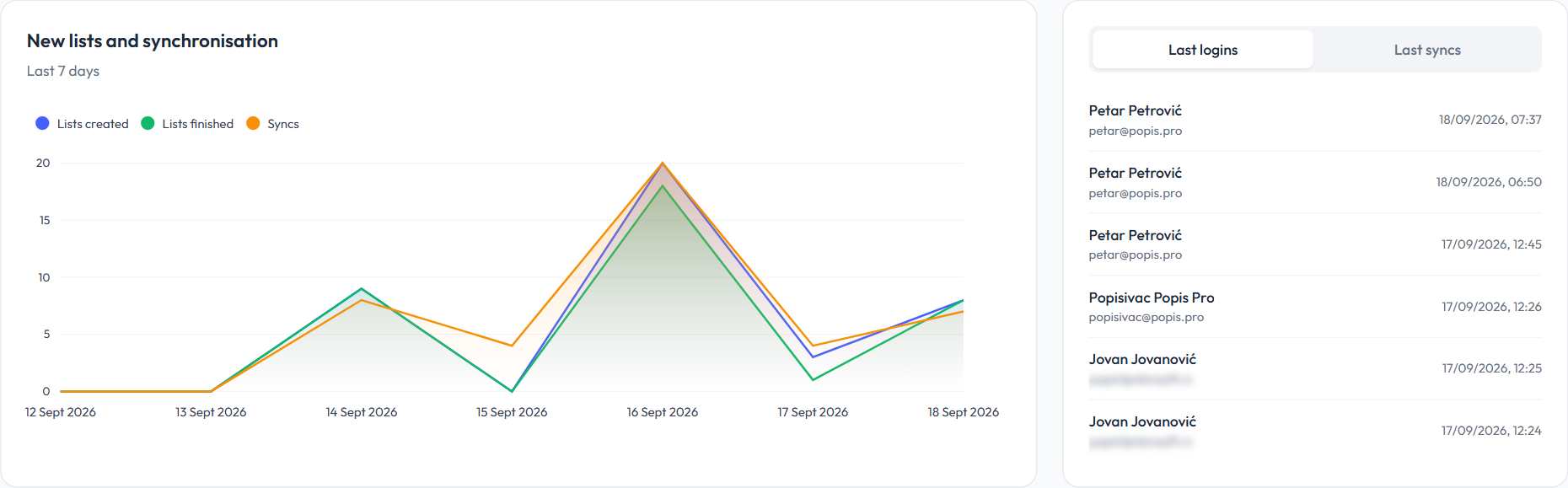
The New lists and synchronisation chart shows, per day:
- Lists created and Lists finished: count lists and records created or finished that day;
- Syncs: how many times mobile devices synced with the portal.
On the right, a panel with two tabs: Last logins (who signed in, and when) and Last syncs (who synced the app, and when). Each shows the latest six, for your company's users only.
Records over the last 14 days
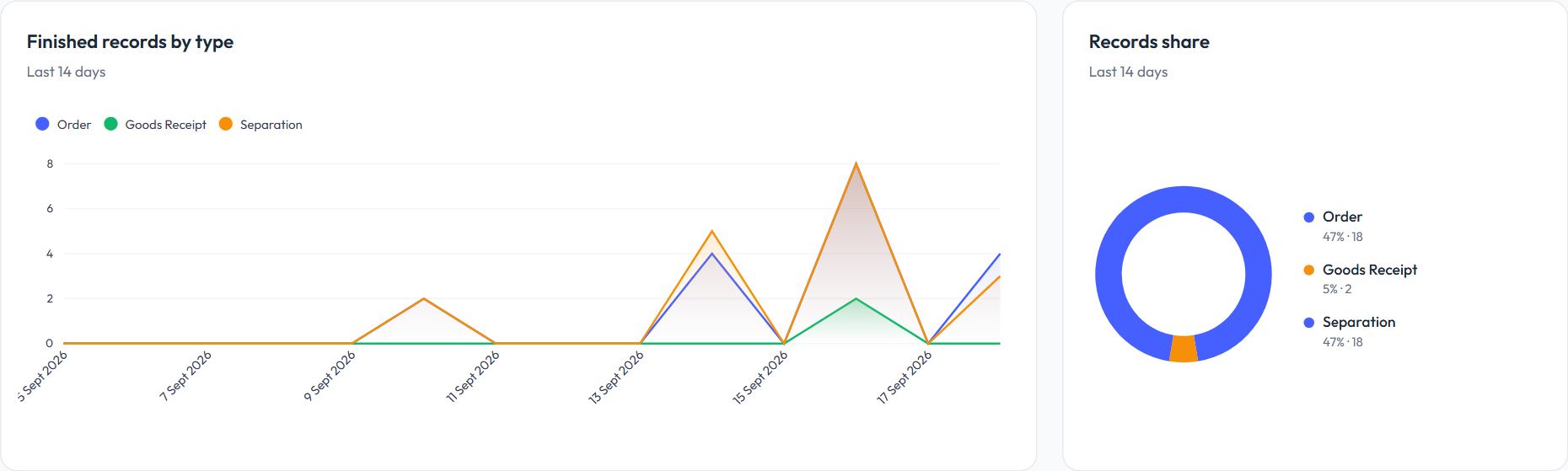
If your package includes records, two more charts follow:
- Finished records by type: finished records per day, one line per type;
- Records share: how the finished records split between types.
Only finished records are counted. The types are Order, Sale, Goods Receipt, Write-off, Packaging, Expiry and Separation; a type with no records in the period isn't shown.
Last counts
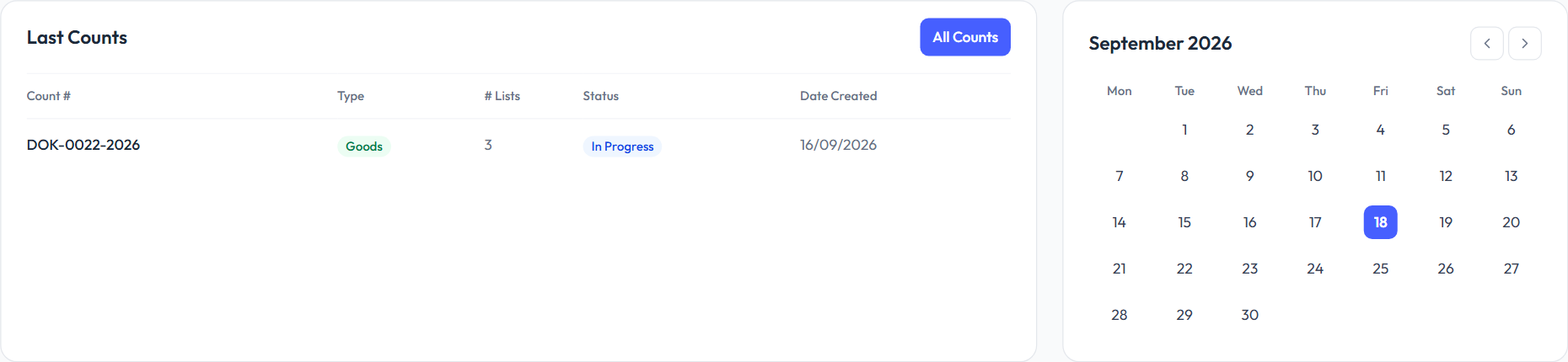
The Last Counts table lists your five newest counts: number, type (Goods or Assets), number of lists, status (Draft, In Progress or Completed) and date created.
- Click a row to open that count.
- All Counts opens the list of all counts.
Next to the table is a calendar for a quick look at dates; the arrows move to the previous or next month.
Tip
The figures load when you open the page. To see the latest state, refresh the page in your browser.