

User profile and signing out
User Profile shows your details and lets you change them, including your password. Open it from the User group at the bottom of the menu or from the menu with your name in the top bar — every user can.
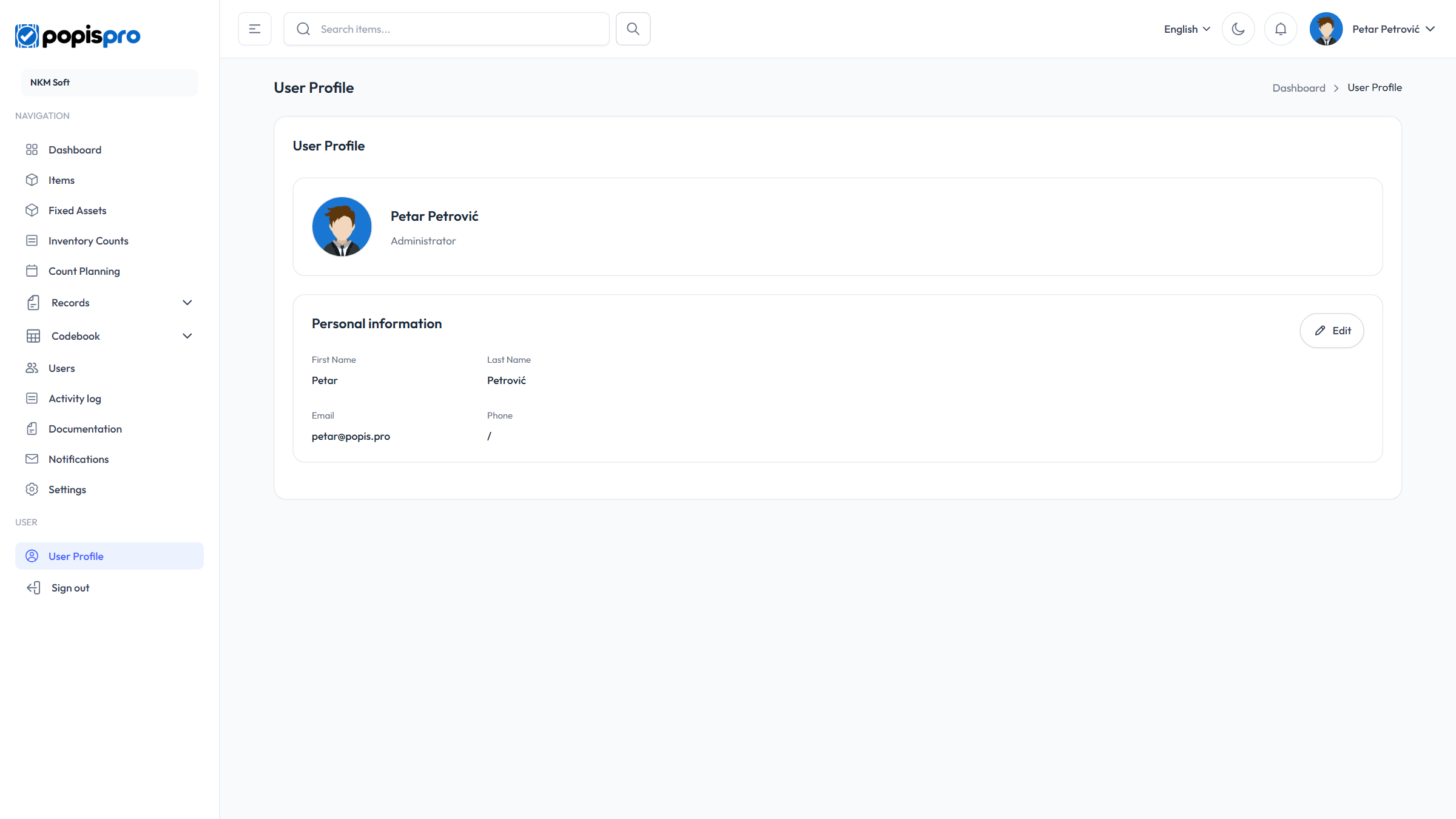
At the top are your name, role and position, and the Personal information card holds your first and last name, email and phone number.
Changing your details
Edit opens Edit personal information:
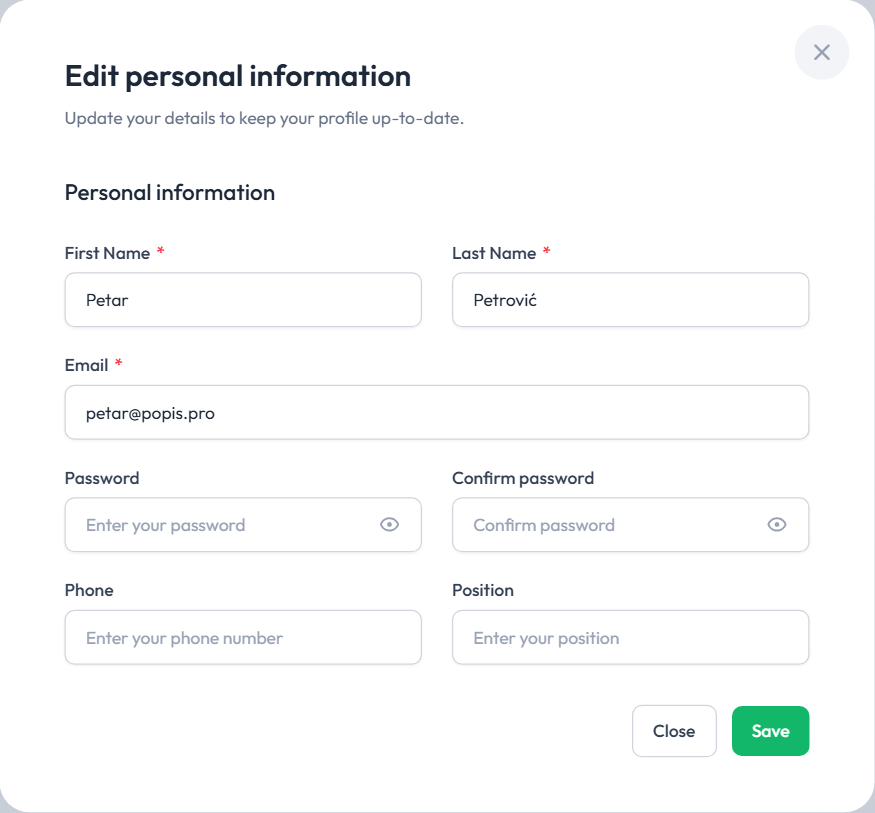
| Field | Description |
|---|---|
| First Name * and Last Name * | |
| Email * | Your sign-in address. A new address applies right away, from your next sign-in. It can't be used by another account (The Email has already been taken.). |
| Password and Confirm password | Fill in only when changing the password: at least 8 characters, the same in both fields. Empty fields keep the old password. |
| Phone, Position | Optional. |
Save stores the changes (User data has been successfully updated.), and the name and email in the top bar update at once. Your role and status are changed by an administrator, on the Users page.
Tip
If you've forgotten your password, you can't sign in to change it here — use Forgotten password on the sign-in page.
The menu in the top bar
Clicking your name in the top bar opens a menu with your name and email, the Edit user link (it opens this page) and Sign out.
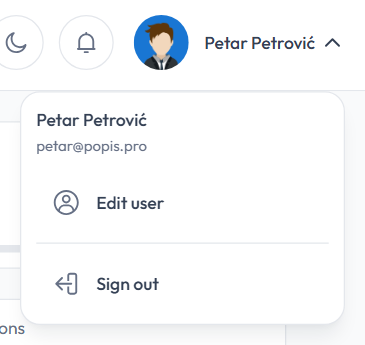
Next to your name are also:
- the language switcher — the portal's language; it is remembered in this browser, and the same language is used for your notifications and emails;
- the moon / sun — dark or light look; remembered in this browser;
- the bell — notifications.
On a narrower screen these are behind the ⋯ button in the top bar.
Signing out
Sign out (at the bottom of the menu or in the menu with your name) returns to the sign-in page at once, without asking. Other tabs of the same browser are signed out too; the mobile app stays signed in.
The portal also signs you out by itself:
| When | What you see |
|---|---|
| You sign in to the portal in another browser or on another computer (the portal allows one sign-in per user) | A sign-out message, then the sign-in page. |
| An administrator disables your account | Account is inactive. |
| Your company's package expires | Your subscription has expired. Visit popis.pro to renew. |
For the messages you may see when signing in again, see Signing in to the portal.