

Count planning
Count Planning is a calendar of upcoming counts: when, at which location and in which warehouse. A plan doesn't create a count by itself; it's for overview and reminders. Open it from the left menu, Count Planning.
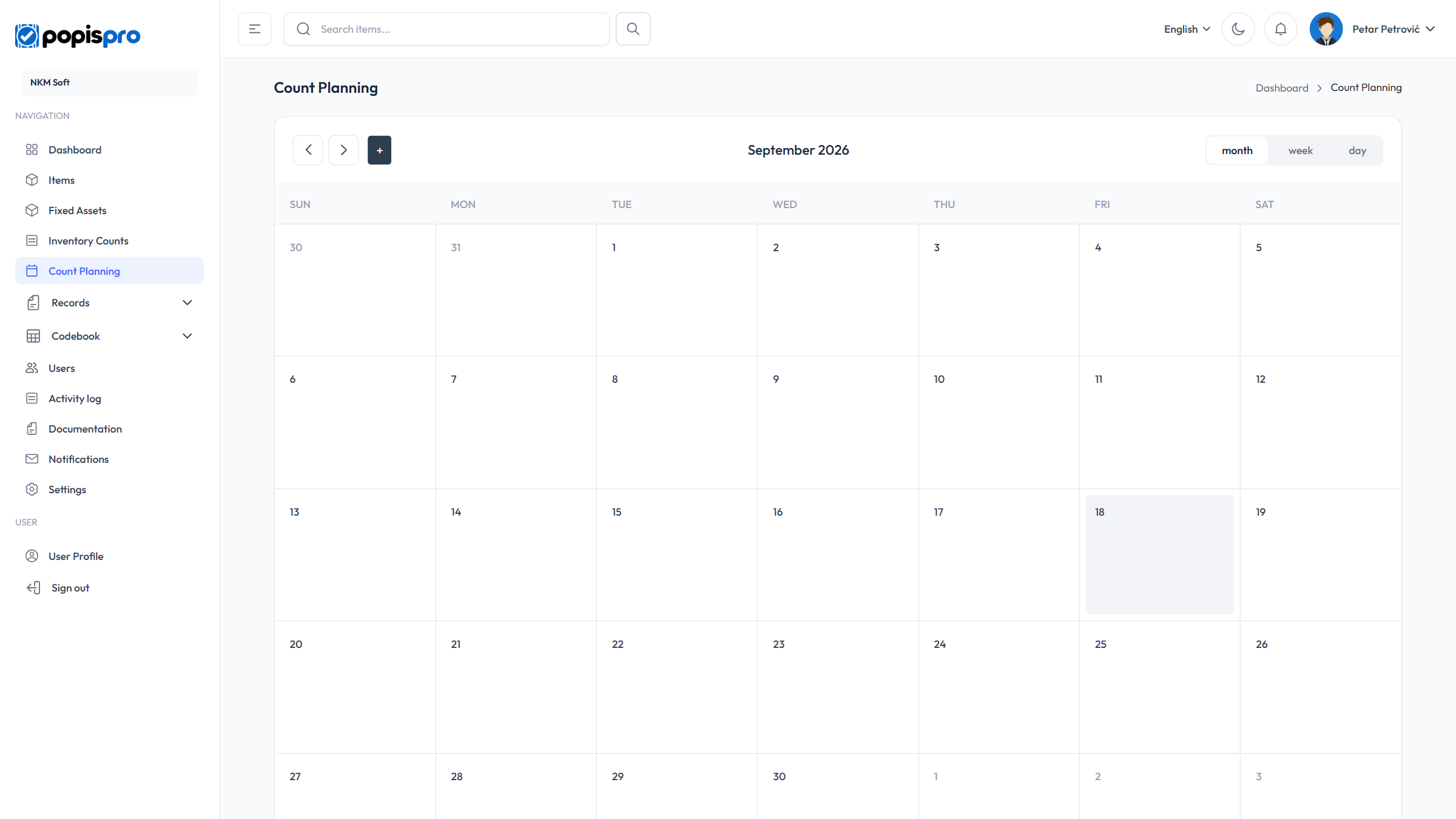
The calendar has month, week and day views, and the arrows move back and forward. Planned counts show as the location name and start time.
New plan
Click a day in the calendar or the + button next to the arrows.
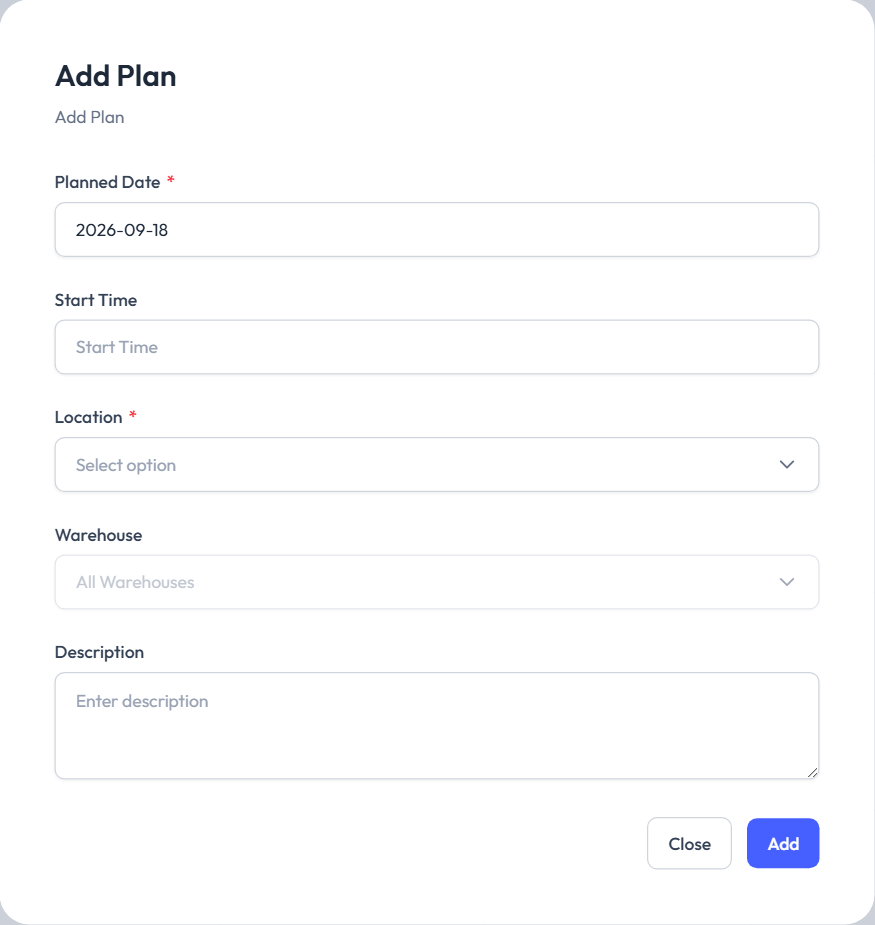
| Field | Description |
|---|---|
| Planned Date * | The day of the count; past days can't be chosen. |
| Start Time | The start time; if you leave it empty, reminders assume 9:00. |
| Location * | Where the count takes place. |
| Warehouse | One warehouse, or All Warehouses. |
| Description | A note about the count. |
Save with Add. The date and time must be in the future (Planned date and time must be in the future.).
Clicking an existing plan opens Edit Plan: save changes with Save, while Delete Plan deletes it immediately, without asking again.
Reminders
For each plan, your company's main user gets two reminders, by email and in the portal's notifications:
- a day before: Count tomorrow,
- an hour before: Count starts in 1 hour.
You then create the count as usual, on the Inventory counts page.