

Notifications
Notifications are messages Popis sends to your account: reminders for planned counts and notices about your package expiring. Every notification also arrives by email.
The bell
The bell is in the portal's top bar, next to the language switcher. An orange dot on it means you have unread notifications. The portal checks every minute.
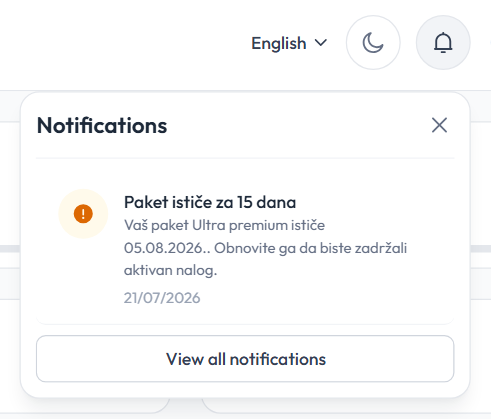
- Clicking the bell shows the 10 newest notifications; unread ones are tinted, and the unread count is next to the title.
- Clicking a notification marks it read and opens the page it's about (e.g. Count planning).
- Mark all read marks them all at once.
- Hovering over a notification shows an ✕ that deletes it immediately.
- View all notifications opens the Notifications page.
The Notifications page
The Notifications menu item lists all notifications, newest first.
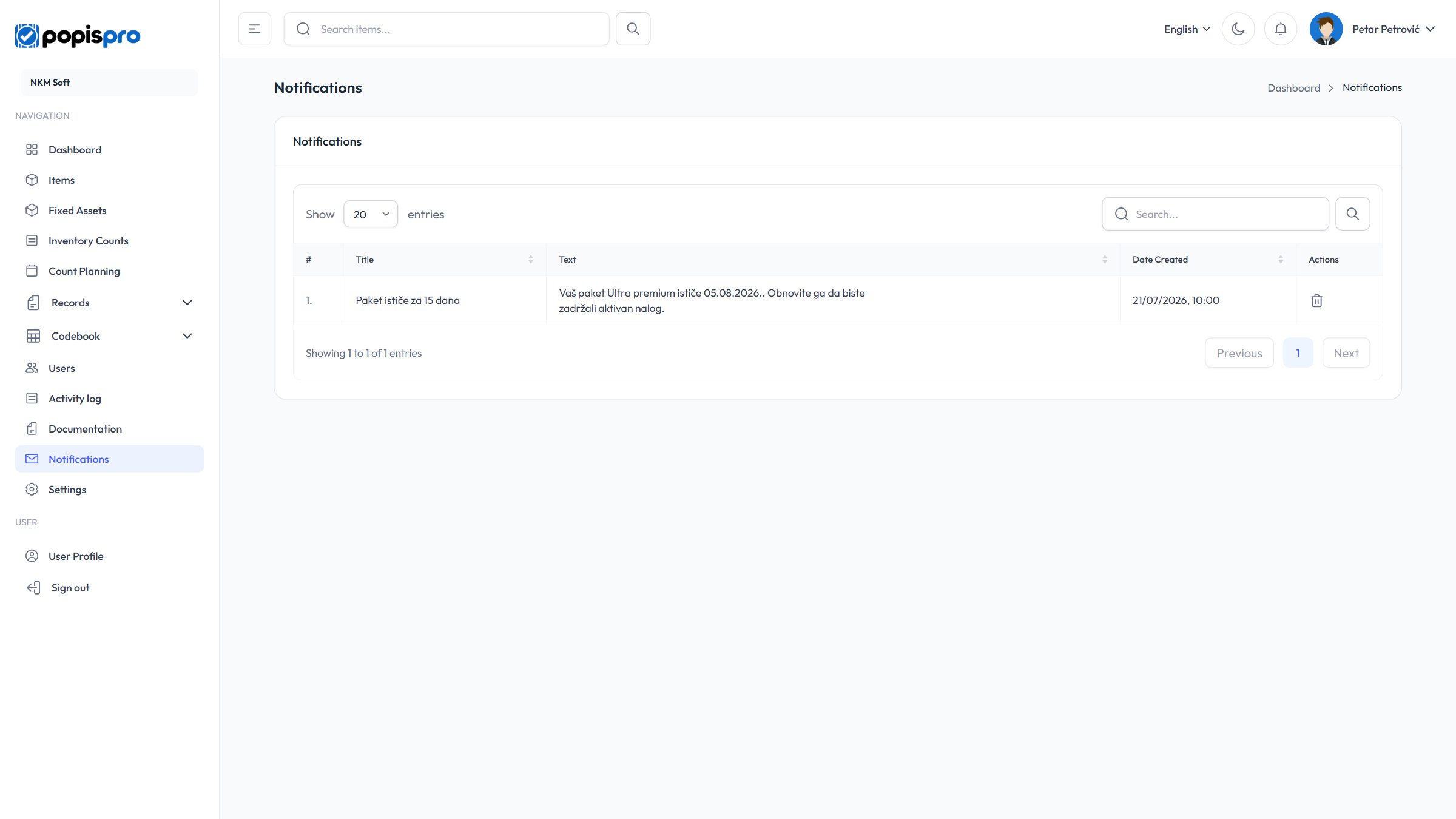
The columns are Title, Text, Date Created and Actions. An unread notification has a blue dot and a bold title.
- The check mark on a row marks it read; Mark all read at the top marks them all.
- The bin on a row deletes the notification, after a confirmation.
Notifications are kept until you delete them.
Which notifications arrive
| Notification | When |
|---|---|
| Count tomorrow | About 24 hours before a count scheduled in Count planning. |
| Count starts in 1 hour | About an hour before a scheduled count. |
| Package expires in 15 days | 15 days before your package expires. |
| Package has expired | On the day your package expires. |
Only the company's main user receives these (see Users and roles), in the portal, in the app and by email. They arrive a minute or two after the event; a reminder may come up to 15 minutes early. A plan without a start time counts as starting at 9:00.
A notification is written in the language you used when it was sent. The portal remembers your language when you change it and each time you sign in.
Emails
Besides notifications, Popis sends these emails:
| Subject | When |
|---|---|
| Verify your email to activate your Popis PRO account | After a new company registers. |
| Your Popis PRO account has been created | When an administrator adds a user (with Send welcome email ticked) and after the email is confirmed at registration. It contains the sign-in details. |
| Password Reset Request | After Forgot password? in the portal or the app; the link is valid for 60 minutes. See Forgotten password. |
Notifications and emails can't be turned off.
In the mobile app, notifications are behind the bell in the top bar — see Notifications in the app.